 mousePDF
Convert PDF to PDF/A without uploading
Convert a PDF into an archive-friendly PDF/A document, with the metadata many authorities and archive systems expect. Runs entirely locally in your browser.
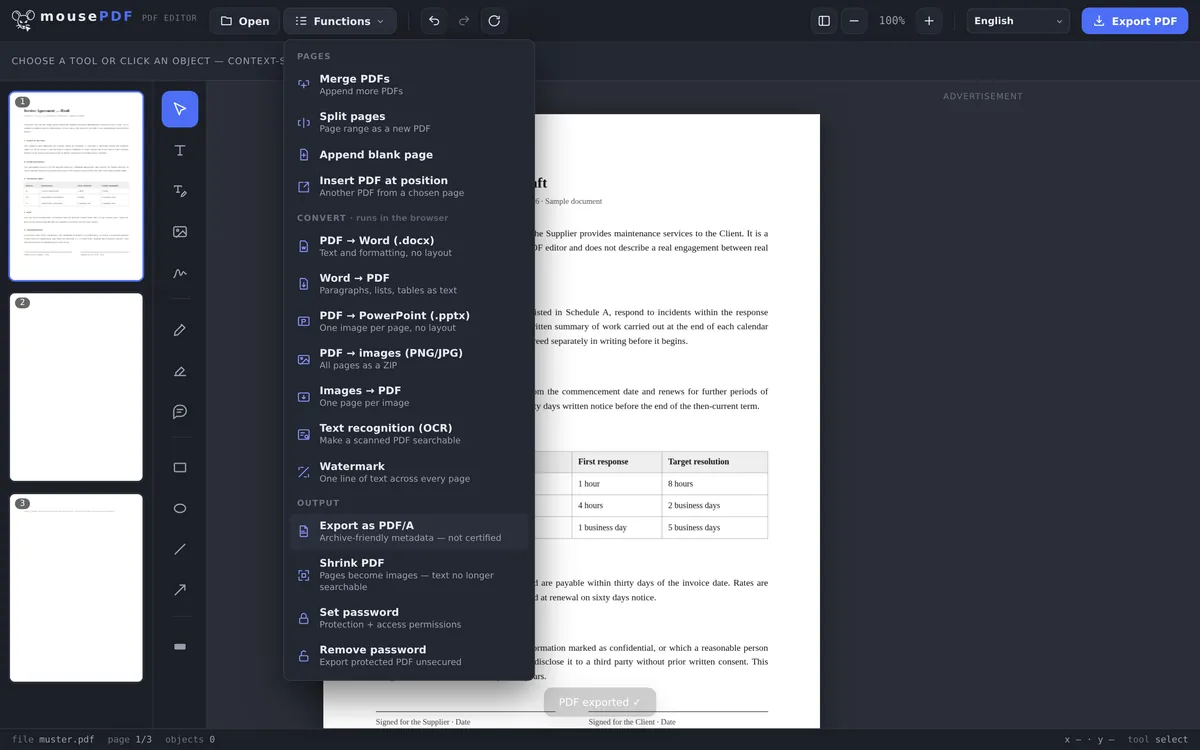
Three simple steps
Open a PDF
Open a PDF by dragging it into the browser.
Export as PDF/A
Choose the PDF/A option from the export menu. Archive-friendly metadata is set automatically.
Save
Download the finished PDF/A document. No upload, no watermark.
Meeting archiving requirements
Many authorities, courts, and corporate archives require documents in PDF/A format so they remain readable and faithful to the original for years to come. mousePDF sets the necessary metadata directly on export, without the file ever leaving a server, because there is none.
What PDF/A is actually for
PDF/A is the archival flavour of the PDF format. The idea behind it: a file should look the same in twenty years as it does today, even once the typeface it used has long disappeared and no program remembers what it looked like.
That is achieved by moving everything necessary into the file itself: fonts are embedded rather than assumed, external references are dropped, and the file stays unencrypted so that a lost password cannot render it unreadable.
It is usually required by public authorities, courts and archives, and wherever long retention periods apply. The specification then says “PDF/A”, often with a level such as PDF/A-2b after it.
Where this stops short of a certified file
The editor builds the file according to the principles of PDF/A: fonts embedded, archival metadata (XMP) written, no encryption.
And now the part others leave out: the file does not claim conformance. Its metadata deliberately carries no PDF/A level. That is not an omission but a decision. Such a claim would be a guarantee, and only a real check with a validator like veraPDF could back it up. No such check happens here.
In practice: if an authority demands a certified, validated PDF/A file, this is not the right route, and you need a tool that issues a validation report. If you keep your own archive and want your documents readable in ten years' time, this gives you exactly that, with no upload and no account.
Equally openly: an ICC output intent, which stricter PDF/A levels require, is currently missing. Anyone who needs it exactly right should know that.
Frequently asked questions
Is my PDF uploaded for the conversion? +
No. The conversion, including metadata, happens entirely in the browser.
Is the result a certified PDF/A document? +
No. mousePDF sets archive-friendly metadata but doesn't perform formal PDF/A certification or validation. For legally binding requirements, check whether you need a certified solution.
Does the conversion change my document's content? +
No, text, images, and layout are preserved. Only the metadata is added.
Is this free? +
Yes, the conversion is free and requires no account.
Is the result certified PDF/A? +
No, and we say so explicitly. The file is built according to PDF/A principles but claims no conformance level in its metadata. That would require a real check with a validator, which does not happen here.
When is this enough, and when isn't it? +
For your own long-term archive it works well: embedded fonts, archival metadata, no encryption. If an authority requires a validated PDF/A file with a report, you need a certifying tool.
Why does the file get bigger? +
Because the fonts are embedded in full instead of being assumed present on the target device. That is precisely what makes the file self-sufficient later, and it is the point of the format.
You might also find this useful
Compress PDF
Shrink image-heavy PDFs without uploading them.
PDF text recognition (OCR)
Make scanned PDFs searchable, in multiple languages.
Set/remove PDF password
Protect a PDF with a password and set permissions.